A directory app
For our next assignment we are going to build a simple directory app that allows users to create a directory listing for people in their department. The directories will be stored on a back end server.
Your app will have three activities. The first activity allows the user to log in to the system or create a new account.
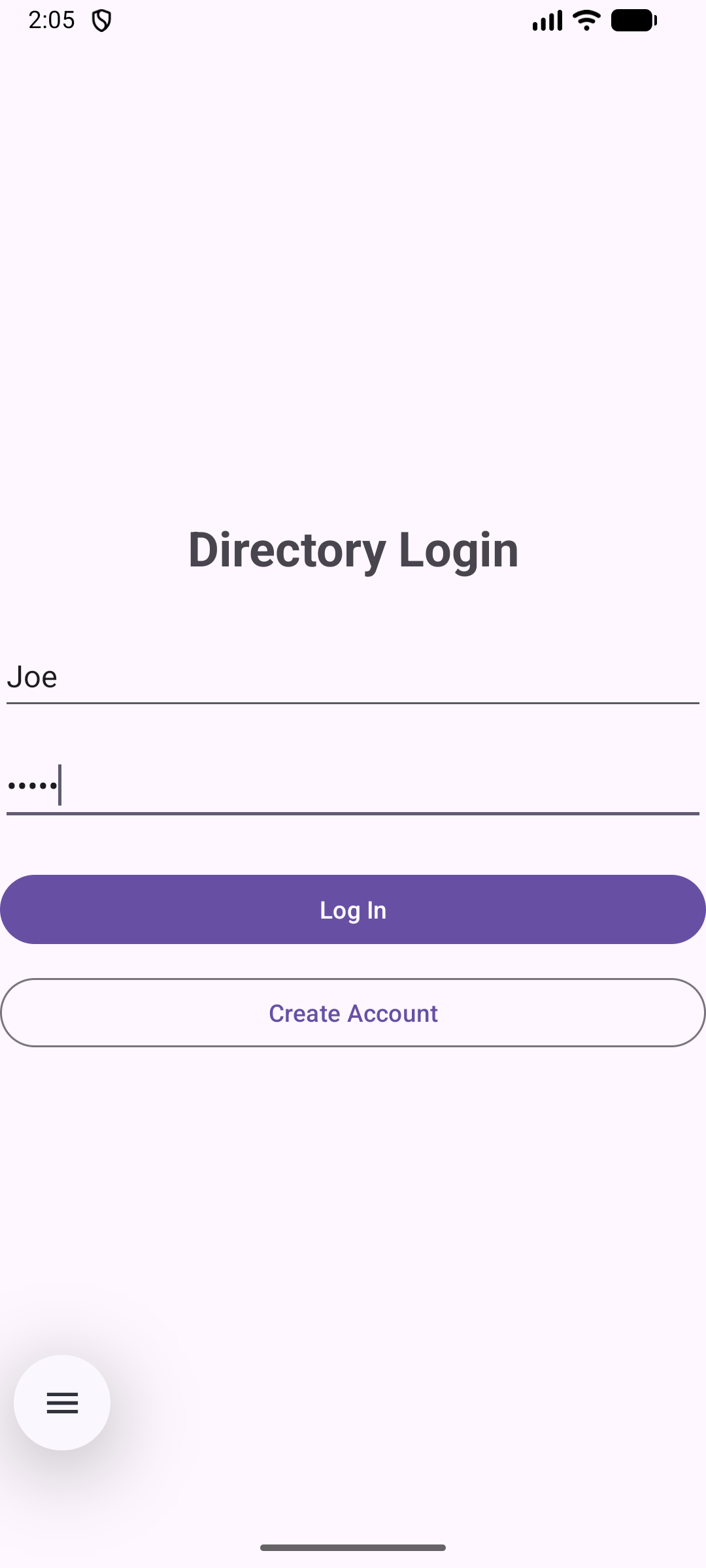
Once the user is logged in they will go to the second activity, which displays their directory.
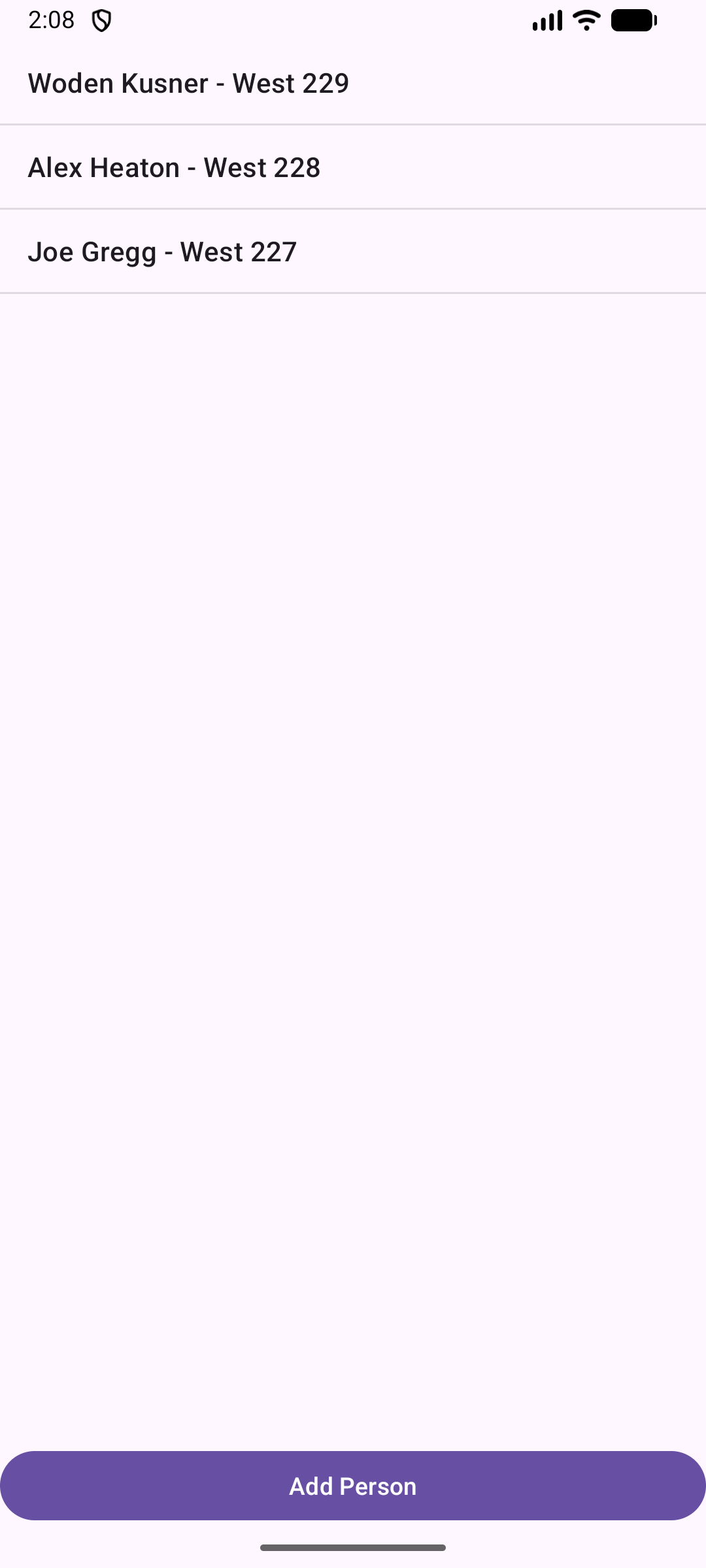
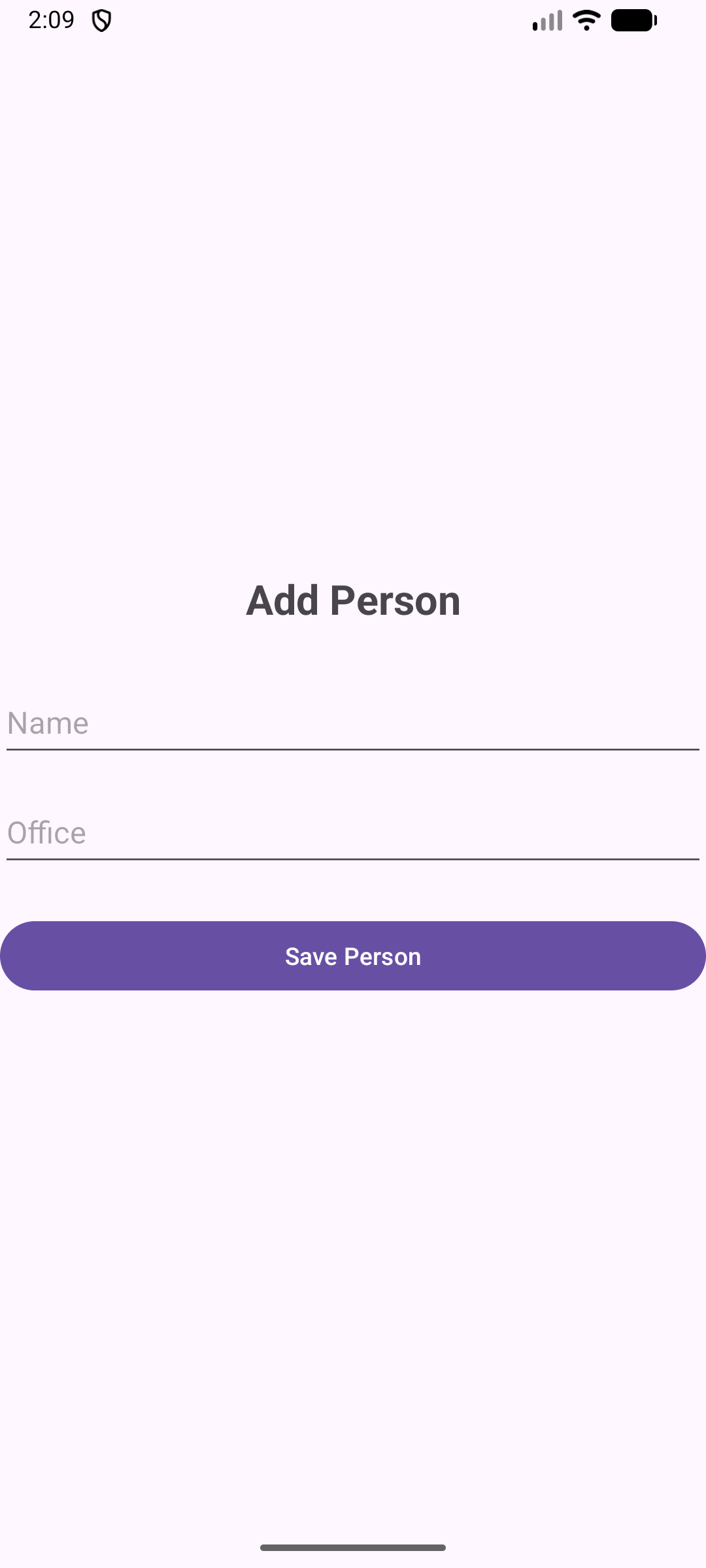
Clicking the Add Person at the bottom of the second activity takes you to the third activity, where you can create a new directory entry.
Your app will not need to make it possible to edit or delete entries in a user's directory listing. We will implement those features in a future version of the app.
How to interact with the server
For server interactions you will need to set up the following classes:
You will need a couple of data classes to represent the objects that you will be passing back and forth to the server:
data class User(
    val id: Int = 0,
    val key: String = "",
    val name: String = "",
    val password: String = "",
    val version: Int = 0
)
data class Person(
    val id: Int = 0,
    val user: Int = 0,
    val name: String = "",
    val office: String = ""
)
Here is the API class you will need for Retrofit:
interface DirectoryApi {

    /**
     * Check user login credentials.
     * GET /users?user={user}&password={password}
     */
    @GET("users")
    suspend fun checkLogin(
        @Query("user") user: String,
        @Query("password") password: String
    ): Response<String>

    /**
     * Save a user.
     * POST /users
     */
    @POST("users")
    suspend fun saveUser(
        @Body user: User
    ): Response<String>

    /**
     * Get all people associated with the user key.
     * GET /people/{key}
     */
    @GET("people/{key}")
    suspend fun getAllPeople(
        @Path("key") key: String
    ): Response<Array<Person>>

    /**
     * Save a person associated with the user key.
     * POST /people/{key}
     */
    @POST("people/{key}")
    suspend fun savePerson(
        @Path("key") key: String,
        @Body person: Person
    ): Response<Person>
}
This DirectoryApi class assumes that you will be using coroutines for all of your network interactions.
Here is how to use these API methods:
- To create a new user fill in a name and a password in a User object and pass that User object to
saveUser(). ThesaveUser()method will return a string containing the user's key. - To log in an existing user pass that user's name and password to the
checkLogin()method. That method will return the user's key. - To fetch a user's directory listing, pass that user's key to the
getAllPeople()method. That method will return an Array of Person objects. - To post a new Person fill in the person's name and office and pass the Person object to the
savePerson()method along with the user's key.