First Assignment
Make a simple loan calculator. Your app will consist of a single activity.
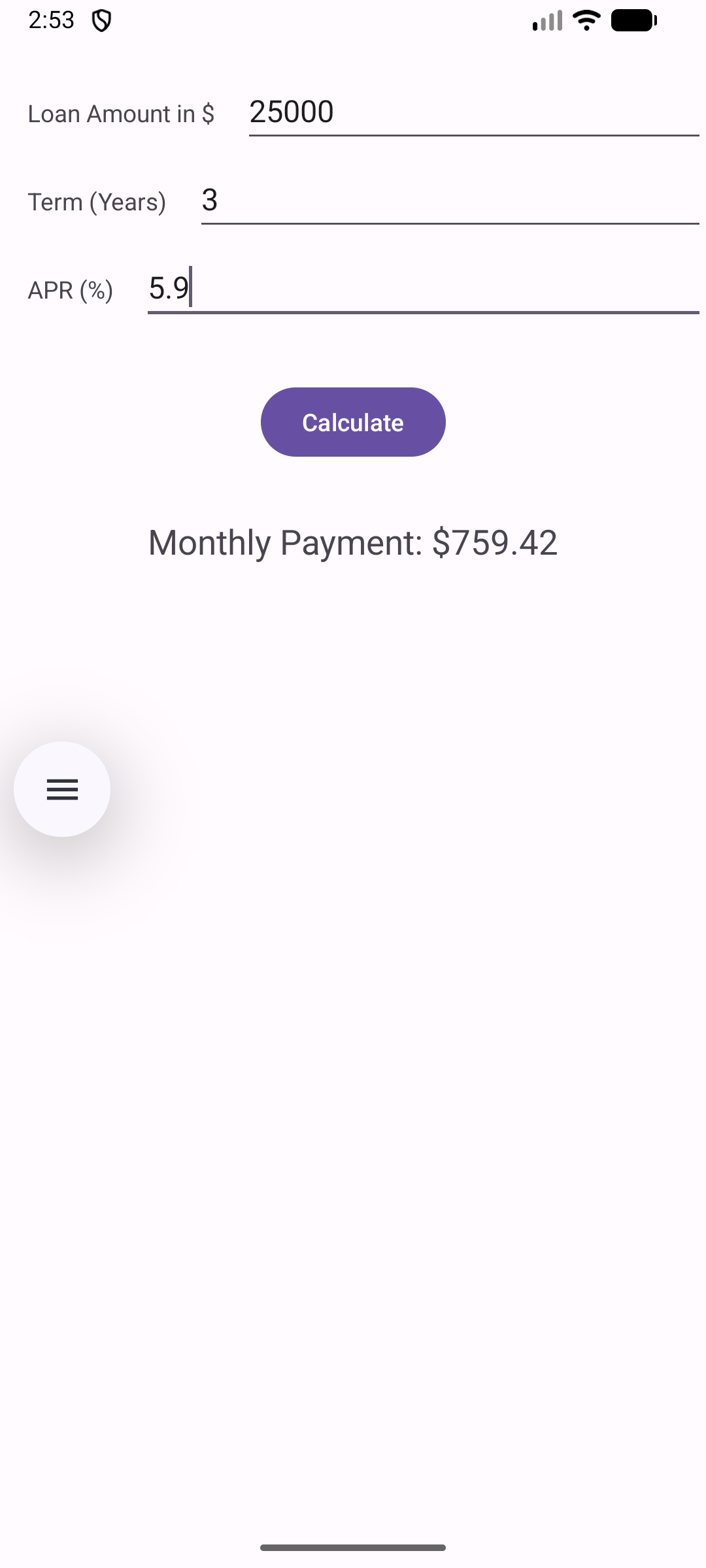
The user will enter the details of the loan in the three text fields show here. To compute and display the monthly payment they will click the Calculate button.
The calculator will compute the monthly payment for a loan given the loan amount, the term of the loan in years, and the annual percentage rate on the loan.
To compute the monthly payment use the formula
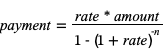
where rate is the APR divided by 1200 and n is the term in years times 12. To compute an exponent in Kotlin use the code
a.pow(b)
How to submit your work
Before submitting your work, run the Clean Project command from the Build menu in Android Studio. This will reduce the size of your project folder. Then, compress your project folder into a zip file and upload that zip file in Canvas for grading.