Room Database example
In some of our past examples we stored application data locally by converting the application data to JSON and then just storing that JSON code in a local text file. That system if OK for simple examples, but starts to break down as soon as our application data becomes more complex.
A more powerful local data storage mechanism is to use a database to store our application's data. In these lecture notes I am going to introduce you to the Room database system for Android, which will make it possible for us to store application data in a local database.
The example app that I will use to demonstrate Room is a gradebook application that allows us to store quiz grades for a group of students across multiple quizzes.
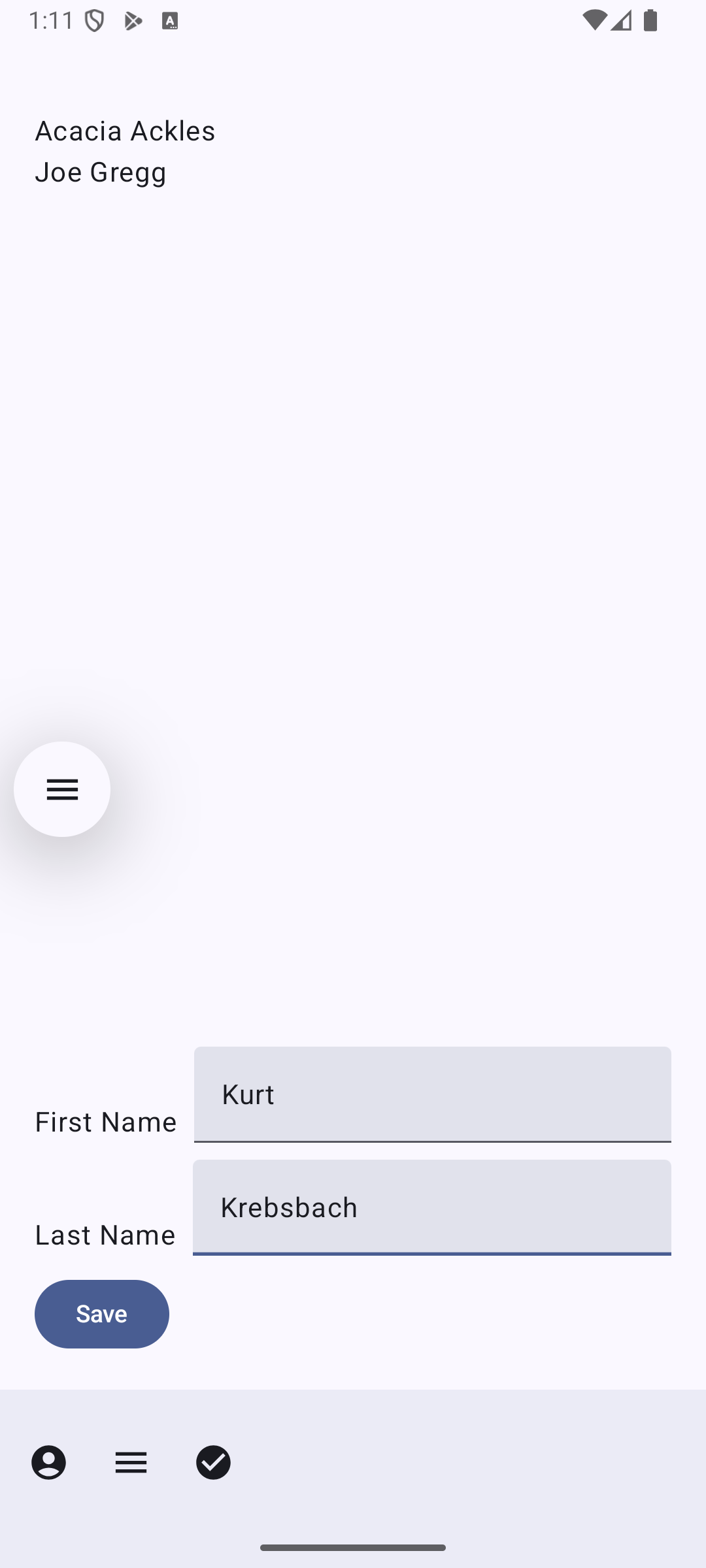
The app uses a tabbed interface with three tabs. The first tab allows us to create students.
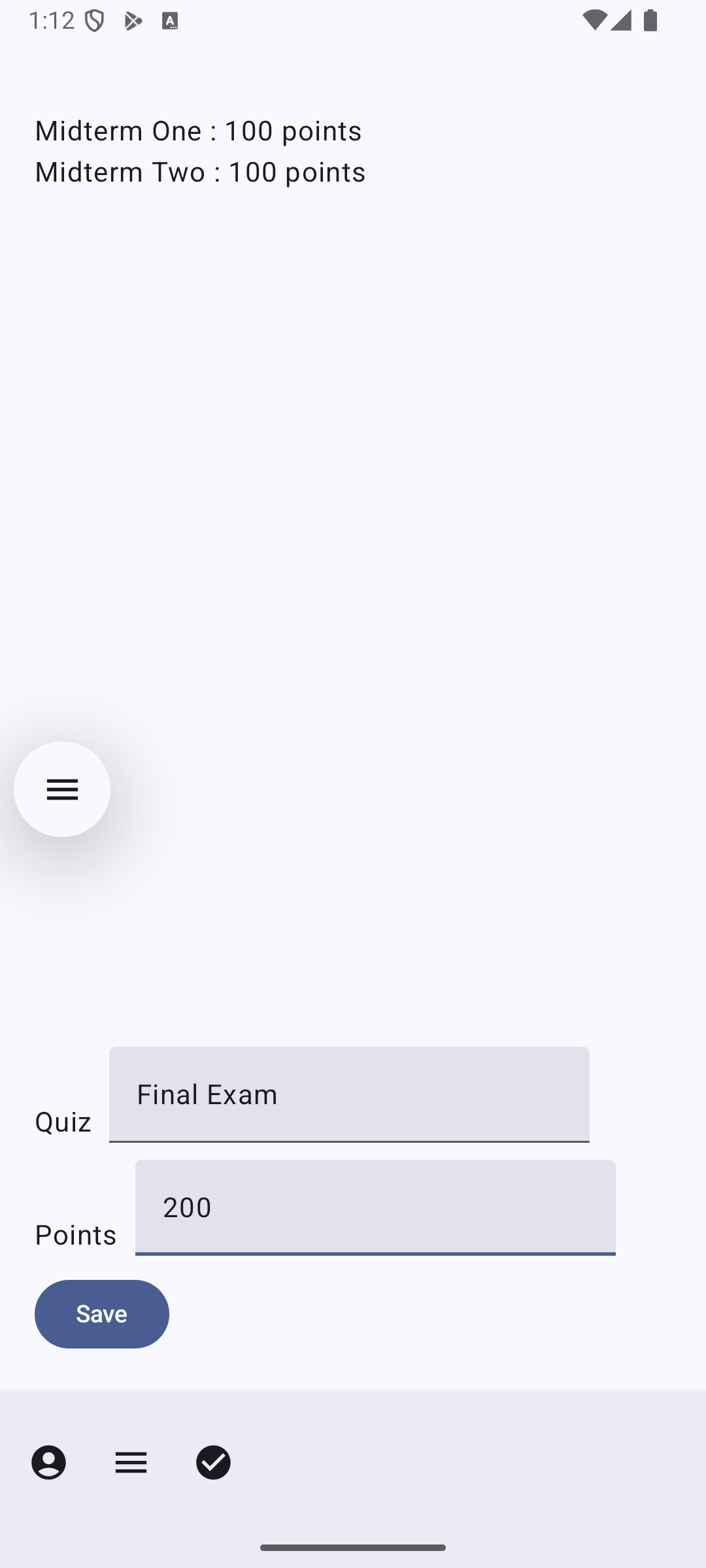
The second tab allows us to create quizzes
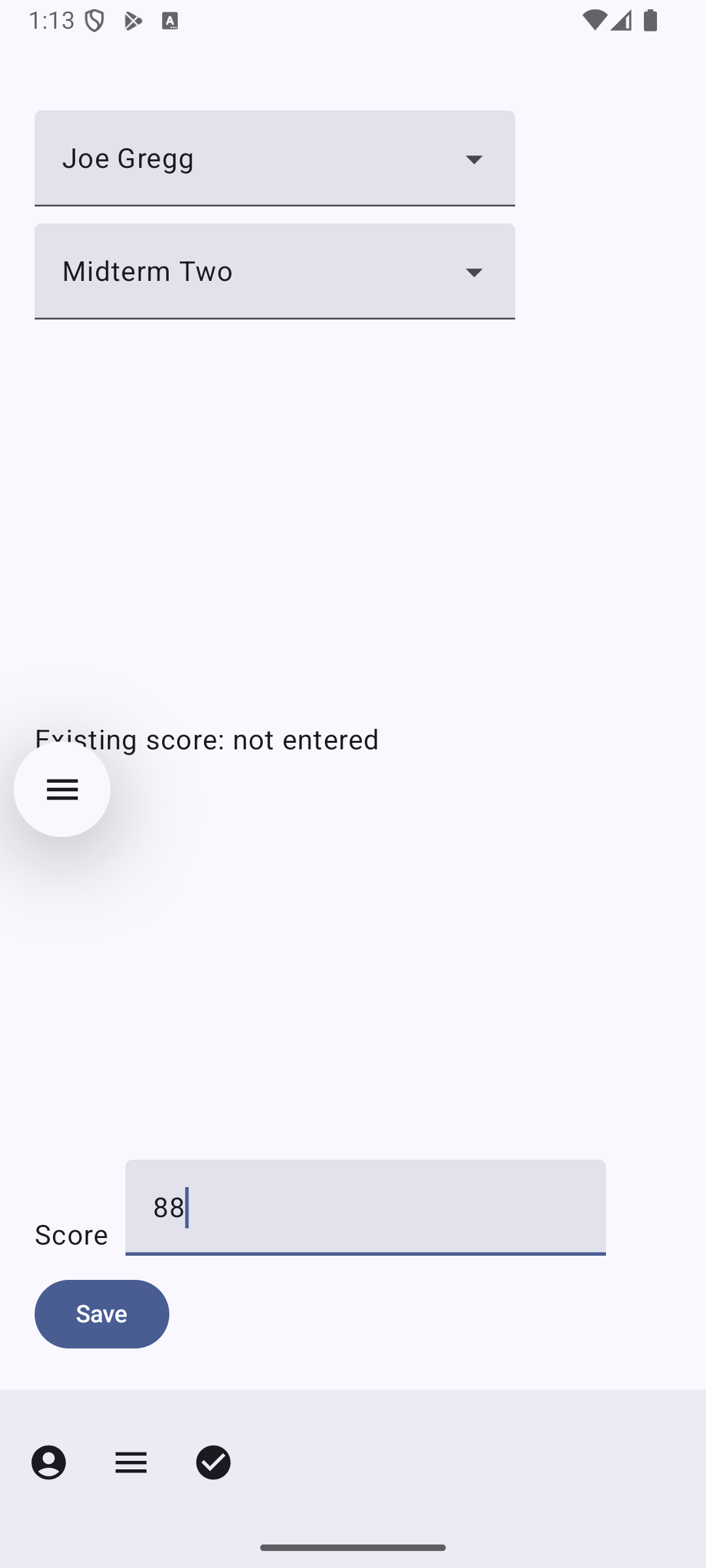
The third screen allows us to enter and view scores for students on quizzes. There is a pull-down menu of students and quizzes that we can use to pull up a quiz for a particular student. We can then view that student's score for that quiz and enter a new score if we choose.
Getting ready to use Room
The first step in using Room for a project is to add a number of dependencies to the project:
val room_version = "2.8.5"

implementation("androidx.room:room-runtime:$room_version")
annotationProcessor("androidx.room:room-compiler:$room_version")

ksp("androidx.room:room-compiler:$room_version")

// optional - Kotlin Extensions and Coroutines support for Room
implementation("androidx.room:room-ktx:$room_version")
Setting up entities, a dao, and the database
Room is a object-relational database system. What this means is that we will be using Room to store specially constructed objects in a relational database system.
To set up the objects that will be stored in the database we make a series of @Entity declarations:
@Entity
data class Student(@PrimaryKey(autoGenerate=true) val id : Int = 0, val firstName : String, val lastName : String)

@Entity
data class Quiz(@PrimaryKey(autoGenerate=true) val id : Int = 0, val maxPoints : Int, val name : String)

@Entity
data class Grade(@PrimaryKey(autoGenerate=true) val id : Int = 0, val student : Int, val quiz : Int, val grade : Int)
To start with, these declarations are a set of data class declarations of the type we have seen before. We have supplemented these class declarations with some annotations. There is the @Entity annotation which marks the class as a Room entity and a @PrimaryKey annotation that we apply to one of the fields of each object. In this case we also specify that Room should generate these id numbers for us automatically as each object is created and inserted in the database.
Next, we set up a data access object, or dao. This is a special interface containing methods for each distinct database interaction we are planning on doing in our app.
@Dao
interface GradesDao {
    @Insert(onConflict = OnConflictStrategy.REPLACE)
    suspend fun insertStudent(student : Student)

    @Insert(onConflict = OnConflictStrategy.REPLACE)
    suspend fun insertQuiz(quiz : Quiz)

    @Insert(onConflict = OnConflictStrategy.REPLACE)
    suspend fun insertGrade(grade : Grade)

    @Delete
    suspend fun removeGrade(grade : Grade)

    @Query("SELECT * from student ORDER BY lastName ASC, firstName ASC")
    suspend fun loadStudents() : List<Student>

    @Query("SELECT * from quiz")
    suspend fun loadQuizzes() : List<Quiz>

    @Query("SELECT * from grade WHERE student = :student and quiz = :quiz")
    suspend fun getGrade(student: Int, quiz : Int) : List<Grade>
}
The most important methods here are the ones annotated with @Query. Each of these annotations features the use of some SQL-like code that specifies exactly what each query does.
More information about these annotations is available in the documentation online.
The last piece we will need is a declaration for the database itself:
@Database(entities = [Student::class,Quiz::class,Grade::class], version = 1)
abstract class GradesDatabase : RoomDatabase() {
    abstract fun gradesDao() : GradesDao
}
Setting up a view model
Once again, this app will feature the use of a view model class. In previous examples we have used view models as the gateway to a back end server. For this example our view model will serve as the gateway to the Room database.
Here is the code for our view model class:
class GradesModel(application: Application): AndroidViewModel(application) {
    lateinit var dao : GradesDao
    val students = mutableStateOf<List<Student>?>(null)
    val firstStudent = mutableStateOf<Student?>(null)
    val quizzes = mutableStateOf<List<Quiz>?>(null)
    val firstQuiz = mutableStateOf<Quiz?>(null)
    val grade = mutableStateOf<Grade?>(null)

    init {
        val db = Room.databaseBuilder(
            application,
            GradesDatabase::class.java, "grades"
        ).build()
        dao = db.gradesDao()

        viewModelScope.launch {
            var studentList : List<Student>
            withContext(Dispatchers.IO) {
                studentList = dao.loadStudents()
            }
            withContext(Dispatchers.Main) {
                if(!studentList.isEmpty())
                    firstStudent.value = studentList[0]
                students.value = studentList
            }
            var quizList : List<Quiz>
            withContext(Dispatchers.IO) {
                quizList = dao.loadQuizzes()
            }
            withContext(Dispatchers.Main) {
                if(!quizList.isEmpty())
                    firstQuiz.value = quizList[0]
                quizzes.value = quizList
            }
        }
    }

    fun addStudent(student: Student) {
        viewModelScope.launch {
            var studentList: List<Student>
            withContext(Dispatchers.IO) {
                dao.insertStudent(student)
                studentList = dao.loadStudents()
            }
            withContext(Dispatchers.Main) {
                firstStudent.value = studentList[0]
                students.value = studentList
            }
        }
    }

    fun addQuiz(quiz : Quiz) {
        viewModelScope.launch {
            var quizList: List<Quiz>
            withContext(Dispatchers.IO) {
                dao.insertQuiz(quiz)
                quizList = dao.loadQuizzes()
            }
            withContext(Dispatchers.Main) {
                firstQuiz.value = quizList[0]
                quizzes.value = quizList
            }
        }
    }

    fun initGrade() {
        if(firstStudent.value != null && firstQuiz.value != null)
            getGrade(firstStudent.value!!,firstQuiz.value!!)
        else
            grade.value = null
    }

    fun addGrade(newGrade : Grade) {
        viewModelScope.launch {
            var grades: List<Grade>
            withContext(Dispatchers.IO) {
                grades = dao.getGrade(
                    student = newGrade.student,
                    quiz = newGrade.quiz
                )
                if(!grades.isEmpty())
                    dao.removeGrade(grades[0])
                dao.insertGrade(newGrade)
            }
            withContext(Dispatchers.Main) {
                grade.value = newGrade
            }
        }
    }

    fun getGrade(student : Student,quiz : Quiz) {
        viewModelScope.launch {
            var grades: List<Grade>
            withContext(Dispatchers.IO) {
                grades = dao.getGrade(
                    student = student.id,
                    quiz = quiz.id
                )
            }
            withContext(Dispatchers.Main) {
                if (!grades.isEmpty()) {
                    grade.value = grades[0]
                } else {
                    grade.value = null
                }
            }
        }
    }
}
There are three things to note here:
- The member variables listed at the top are local storage for various objects we will be pulling from the database. There is a list of students, a list of quizzes, and a single Grade object for the Grade we are currently working on.
- The init code establishes the connection to the database by instantiating the dao object and then loads some initial data for us to work with.
- The remaining methods set up all of the database interactions we plan to do. The purpose of each of these methods is to either update the data in the database or pull some specific data from the database to be stored in the member variables.
Let's take a closer look at one of the methods here.
fun addStudent(student: Student) {
    viewModelScope.launch {
        var studentList: List<Student>
        withContext(Dispatchers.IO) {
            dao.insertStudent(student)
            studentList = dao.loadStudents()
        }
        withContext(Dispatchers.Main) {
            firstStudent.value = studentList[0]
            students.value = studentList
        }
    }
}
The first thing that we need to contend with in these methods is the fact that all of our interactions with the database are going to be done asynchronously. This will require us to set up coroutines in much the same way we did when we were communicating with a server over the internet. Just as we saw in earlier examples, the database interactions are going to be run on the IO thread group, while any code that updates our member variables will have to be run on the Main thread group.
Doing the database interactions themselves is pretty straightforward - we just need to call the appropriate dao method for each interaction.
The rest of the application
Now that we have a view model up and running, the rest of the application looks pretty much like previous examples we have seen. The full code for the user interface is in MainActivity.kt as usual.
There is only one aspect of the user interface code that we haven't covered in previous examples. The third screen will display drop down menus of students and quizzes using a component I haven't covered in any previous example, the Material Library's ExposedDropDownMenuBox. The main advantage of using this component is that it does a better job of making it easy to set up the TextField and the ExposedDropdownMenu part of the component. Beyond that, this component sets up its menu in much the same way as I showed in the earlier example.